Bug #4788
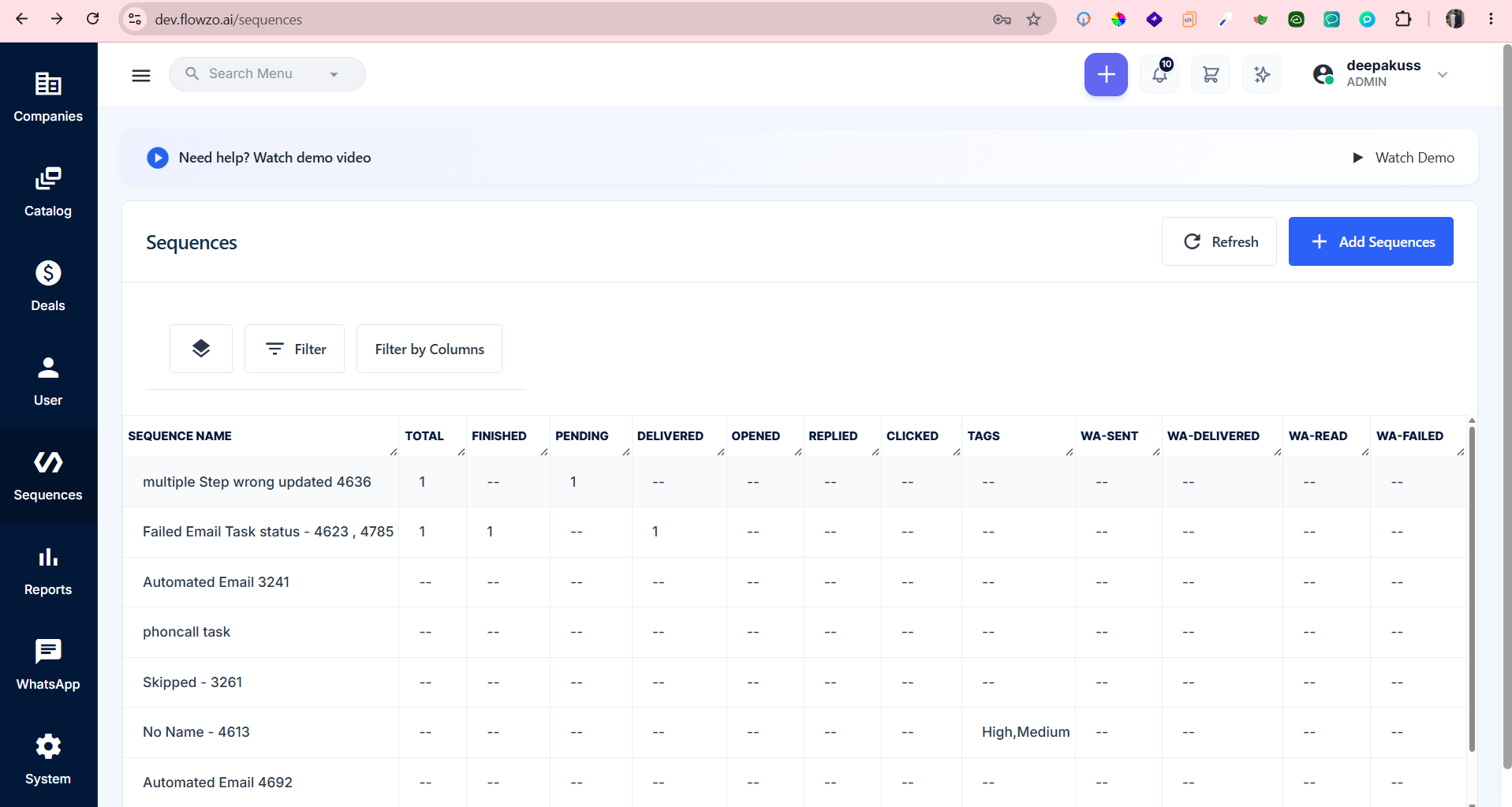
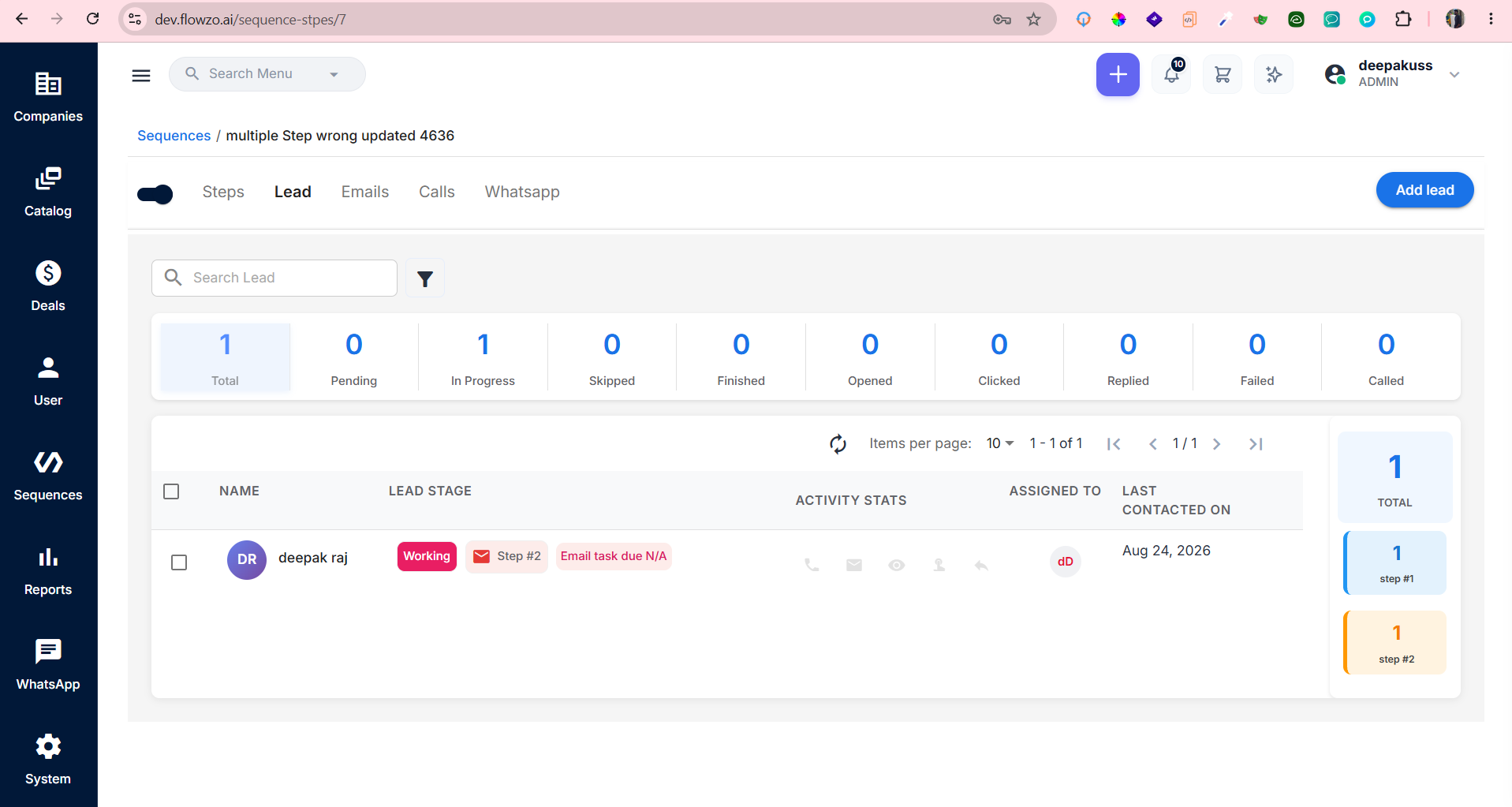
openSequences , Automated Task count is displayed under Pending in the Sequence Grid instead of In Progress
0%
Description
Preconditions : A Sequence should contain an Automated Task with status In Progress
Steps to Reproduce:
Login to the application.
Navigate to Sequences.
Open a Sequence containing an Automated Task.
Verify the task status inside the Sequence.
Confirm that the Automated Task count is displayed as 1 – In Progress.
Navigate back to the Sequences Grid.
Check the task count displayed in the Grid.
deepakrajsandeep@gmail.com
Welcome@123
Expected Result : The Sequence Grid should display the Automated Task count under In Progress, matching the status shown inside the Sequence.
Actual Result : Inside the Sequence, the Automated Task count is correctly displayed as 1 – In Progress, but in the Sequence Grid the same count is displayed under Pending.
Files